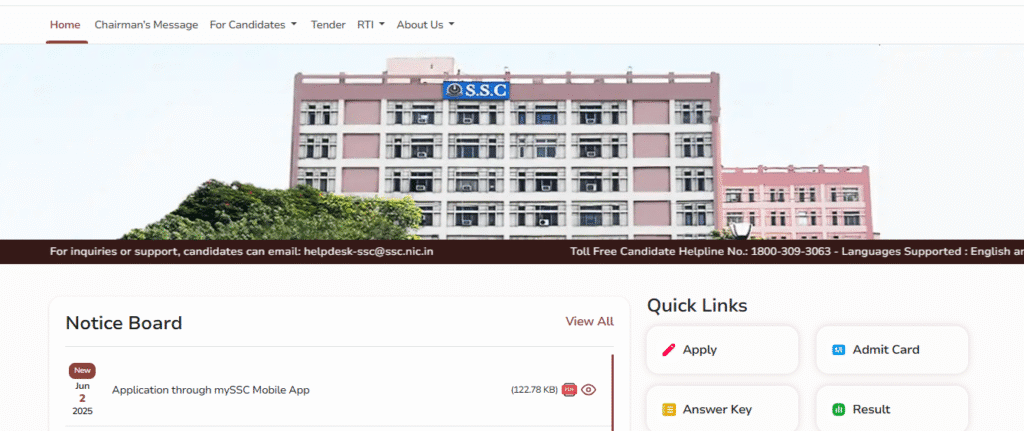
SSC CGL Recruitment 2025- Important Dates, Exam Date, Syllabus, Salary. Notification PDF: The Staff Selection Commission has released a notification for the Combined Graduate Level 2025. SSC CGL Online application started from 9 June 2025. The Computer-Based Online SSC Combined Graduate Level Examination Tier 1 will be conducted on 12 September – 26 September 2025. SSC CGL Admit card is available on the SSC official website from 9 September 2025.
Staff Selection Commission (SSC)
SSC Combined Graduate Level Recruitment 2025
Advt No.: Short Details
SSC CGL Important Dates
- Application Start Date: 9 June 2025
- Last Date For Application: 4 July 2025 (11 pm)
- Fee Payment Last Date: 5 July 2025 (11 pm)
- Date for Application Correction: 9 July -11 July 2025 (11 pm)
- Exam Date for Tier-I: 12 September – 26 September 2025
- Exam Date for Tier-II: December 2025
- Tier I Admit Card Date: 9 September 2025
- Tier I Re-Schedule Exam Date: 14 October 2025
- Tier I Re-Schedule Exam City: 5 October 2025
- Tier I Re-Schedule Admit Card: 9 October 2025
- Tier I Answer Key: 16 October 2025
- Result: Will be Updated after the Exam
SSC CGL Application Fee
- General, OBC, EWS: Rs. 100/-
- SC, ST, PH: Rs. 00/-
- All Category Female: Rs. 00/-
- The candidates are required to deposit the requisite examination fees online through Internet Banking, Debit, or Credit Card.
SSC CGL Age Limit
Age Limits As of 1 August 2025
- Minimum Age: 18,20 Years (Post-wise)
- Maximum Age: 27,30,32 Years (Post-wise)
Age Relaxation is Applicable per the SSC CGL Recruitment 2025.
Note: Post-wise Age Limit given in the Salary section.
SSC CGL Eligibility Criteria
Required Educational Qualifications(As on 01.08.2025):
| Name of the post | Educational Qualifications |
| Junior Statistical Officer | Bachelor Degree in any subject from a recognized University or Institute with at least 60% Marks in Mathematics at 12th standard level OR Bachelor Degree in any subject with Statistics as one of the subjects at degree level. |
| Statistical Investigator Grade-II | Bachelor’s Degree in any subject with Statistics as one of the subjects from a recognized University or Institute. The candidates should have studied the subject of Statistics at Degree Level in Part-I, Part-II, and Part-III, or in all the six semesters of three year degree course, and not simply a paper in any part of the Degree or six semesters at degree level |
| All other Posts | Bachelor’s Degree from a recognized University or equivalent |
SSC CGL Vacancy Details
SSC CGL 2025 Total Vacancy: 14582
SSC CGL Salary Details
Salary: SSC Combined Graduate Level 2025
| Pay Level-7 (₹ 44900 to 142400): | ||||
| S. No. | Name of the post | Ministry/Department/Office/Cadre | Classification of Post | Age (years) |
| 1 | Assistant Section Officer | Central Secretariat Service | Group “B” | 20-30 |
| 2 | Assistant Section Officer | Intelligence Bureau | Group “B” | 18-30 |
| 3 | Assistant Section Officer | Ministry of Railways | Group “B” | 20-30 |
| 4 | Assistant Section Officer | Ministry of External Affairs | Group “B” | 20-30 |
| 5 | Assistant Section Officer | AFHQ | Group “B” | 20-30 |
| 6 | Assistant Section Officer | Ministry of Electronics and Information Technology | Group “B” | 18-30 |
| 7 | Assistant /Assistant Section Officer | Ministry of Electronics and Information Technology | Group “B” | 18-30 |
| 8 | Inspector of Income Tax | CBDT | Group “C” | 18-30 |
| 9 | Inspector, (Central Excise) | CBIC | Group “B” | 18-30 |
| 10 | Inspector (Preventive Officer) | |||
| 11 | Inspector (Examiner) | |||
| 12 | Assistant Enforcement Officer | Directorate of Enforcement, Department of Revenue | Group “B” | 18-30 |
| 13 | Sub Inspector | Central Bureau of Investigation | Group “B” | 20-30 |
| 14 | Inspector Posts | Department of Posts, Ministry of Communications | Group “B” | 18-30 |
| 15 | Inspector | Central Bureau of Narcotics, Ministry of Finance | Group “B” | 18-30 |
| 16 | Section Head | Director General of Foreign Trade | Group “B” | 18-30 |
| Pay Level-6 (₹ 35400 to 112400): | ||||
| 17 | Assistant / Assistant Section Officer | Other Ministries/ Departments/ Organizations | Group “B” | 18-30 |
| 18 | Executive Assistant | CBIC | Group “B” | 18-30 |
| 19 | Research Assistant | National Human Rights Commission (NHRC) | Group “B” | 18-30 |
| 20 | Divisional Accountant | Offices under C&AG | Group “B” | 18-30 |
| 21 | Sub Inspector | National Investigation Agency (NIA) | Group “B” | 18-30 |
| 22 | Sub-Inspector/ Junior Intelligence Officer | Narcotics Control Bureau (MHA) | Group “B” | 18-30 |
| 23 | Junior Statistical Officer | Ministry of Statistics & Programme Implementation | Group “B” | 18-32 |
| 24 | Statistical Investigator Grade-II | Ministry of Home Affairs | Group “B” | 18-30 |
| 25 | Office Superintendent | CBDT | Group “B” | 18-30 |
| Pay Level-5 (₹ 29200 to 92300): | ||||
| 26 | Auditor | Offices under C&AG | Group “C” | 18-27 |
| 27 | Auditor | Offices under CGDA | Group “C” | 18-27 |
| 28 | Auditor | Other Ministries/ Departments | Group “C” | 18-27 |
| 29 | Accountant | Offices under C&AG | Group “C” | 18-27 |
| 30 | Accountant | Offices under C&AG | Group “C” | 18-27 |
| 31 | Accountant/ Junior Accountant | Other Ministry/ Departments | Group “C” | 18-27 |
| Pay Level-4 (₹ 25500 to 81100): | ||||
| 32 | Postal Assistant/ Sorting Assistant | Department of Posts, Ministry of Communications | Group “C” | 18-27 |
| 33 | Senior Secretariat Assistant/ Upper Division Clerks | Military Engineering Services, Ministry of Defence | Group “C” | 18-27 |
| 34 | Senior Administrative Assistant | Military Engineering Services, Ministry of Defence | Group “C” | 18-27 |
| 35 | Tax Assistant | CBDT | Group “C” | 18-27 |
| 36 | Tax Assistant | CBIC | Group “C” | 18-27 |
| 37 | Sub-Inspector | Central Bureau of Narcotics, Ministry of Finance | Group “C” | 18-27 |
Document Required
- Class 10th and 12th mark sheets
- Degree and Other Certificates
- Valid government-issued photo ID (Aadhar Card)
- Disability certificate (if applicable)
- Caste Certificate
- Income Certificate for EWS
- Domicile Certificate
SSC CGL Selection Process
- Computer-Based Examination Tier I
- Computer-Based Examination Tier II
- Document Verification
- Skill Test (If required)
How to Apply for SSC CGL 2025
Candidates need to visit the official website of SSC or the link given in the link section.
Part-A (One-Time Registration):
- Click on the “Login or Register” button for One-time Registration (OTR)
- Fill in the required details such as Aadhaar Number, Name, Father’s name, Mother’s name, Date of birth, etc.
- When the Basic Details are provided at Sl. No. 01 to 13 are saved; you will be required to confirm your mobile number and email ID. On confirmation, your data will be saved, and your Registration Number will be displayed on the screen. Your Registration Number and Password will be provided to you on your mobile number and Email ID.
- You have to complete the Registration Process within 14 days, failing which your Registration Details saved so far will be deleted.
- Log in using your Registration Number as username and the auto-generated password provided to you on your mobile and email.
- Change your password when prompted on first login.
- After a successful password change, you need to log in again using your Registration Number and the changed password.
- Now complete all Additional Details.
- Save the information provided. Take the print of the draft Preview and review the information provided thoroughly, before “Final Submit”.
- Upon clicking the “Final Submit” button, two different OTPs will be sent to your mobile number and Email ID. You need to enter one of the two OTPs in the designated field to complete the Registration Process.
- Read the “Declaration” carefully, and if you agree with the Declaration, click “I Agree.”
Part-B (Online Application Form):-
- Log in through your ‘Registration Number’ and Password
- Click the “Apply” link in the “SSC Combined Graduate Level” Section under the “Live Examination” tab.
- Fill in your preference for Examination Centers.
- Fill in education and other details.
- Candidates are required to capture their live photo through webcam/mobile device and upload.
- The scanned signature in JPEG/JPG format (10 to 20 KB). The image dimension of the signature should be about 4.0 cm (Width) x 2.0 cm (Height). For the PwD(VH) candidates, the thumb impression is also allowed.
- Complete your declaration by clicking on the “I agree” check box and filling up the Captcha Code displayed.
- On verification of the correctness of details/data in your application as visible in Preview, proceed by clicking on “Submit” the Application.
- Proceed to make the fee payment if you are not exempt from the payment of a fee.
- Now, take a printout of the application Form.
Important Links
| Tier I Answer Key | Click Here |
| Tier I Re-Exam Admit Card | Click Here |
| Tier I Re-Exam City Details | Click Here |
| Tier I Re-Exam Date | Click Here |
| Admit Card | Click Here |
| Tentative Vacancy Details Notice | Click Here |
| Correction/Edit Application | Click Here |
| Apply Online | Registration | Login |
| Download Notification | Click Here |
| Syllabus (Page 22) | Click Here |
| Official Website | Click Here |
| Join WhatsApp Channel | Click Here |
| Home | Click Here |